> For the complete documentation index, see [llms.txt](https://blog.telegram.lvivcenter.org/tg-research/llms.txt). Markdown versions of documentation pages are available by appending `.md` to page URLs; this page is available as [Markdown](https://blog.telegram.lvivcenter.org/tg-research/filters/filters-description.md).

# Description of Filters

### Unit Title  <a href="#unit-title" id="unit-title"></a>

Filters information by the original name of the archival unit.

### Unit Type  <a href="#unit-type" id="unit-type"></a>

This filter allows you to sort information by the type of archival unit: chat, channel, or chatbot.

### Thematic Collection  <a href="#thematic-collection" id="thematic-collection"></a>

Allows you to filter information by thematic collections. For example, by selecting "Humour," you will see only archival units belonging to that collection. Thematic collections used for filtering were created by archivists.

<div align="center"><figure><img src="/files/wp8KpyXyJKHYtaQyyi69" alt="" width="375"><figcaption></figcaption></figure></div>

### Post Type  <a href="#post-type" id="post-type"></a>

This convenient filter allows you to filter technical messages, comments, dates, and posts separately.

<div data-full-width="true"><figure><img src="/files/uxtwPAU1fXYrHdqTVgry" alt="" width="153"><figcaption></figcaption></figure></div>

<figure><img src="/files/SISi5jCphmvEM1QHiLg5" alt="" width="273"><figcaption></figcaption></figure>

<figure><img src="/files/N8qGdNgN8S2ymC8FjDj7" alt="" width="563"><figcaption></figcaption></figure>

<figure><img src="/files/vosQEDDOQajh688GALrr" alt="" width="563"><figcaption></figcaption></figure>

### Hashtags   <a href="#hashtags" id="hashtags"></a>

This filter shows which hashtags are mentioned in the selected archival units. You can also choose one or more hashtags to find them within the data set.

<figure><img src="/files/L9c9vpArOVrdAPhl9QyR" alt="" width="375"><figcaption></figcaption></figure>

### Mentions  <a href="#mentions" id="mentions"></a>

Displays all mentions using "@" in the messages.

<figure><img src="/files/y0LYkBQRM0Jgi3b2YR6X" alt="" width="300"><figcaption></figcaption></figure>

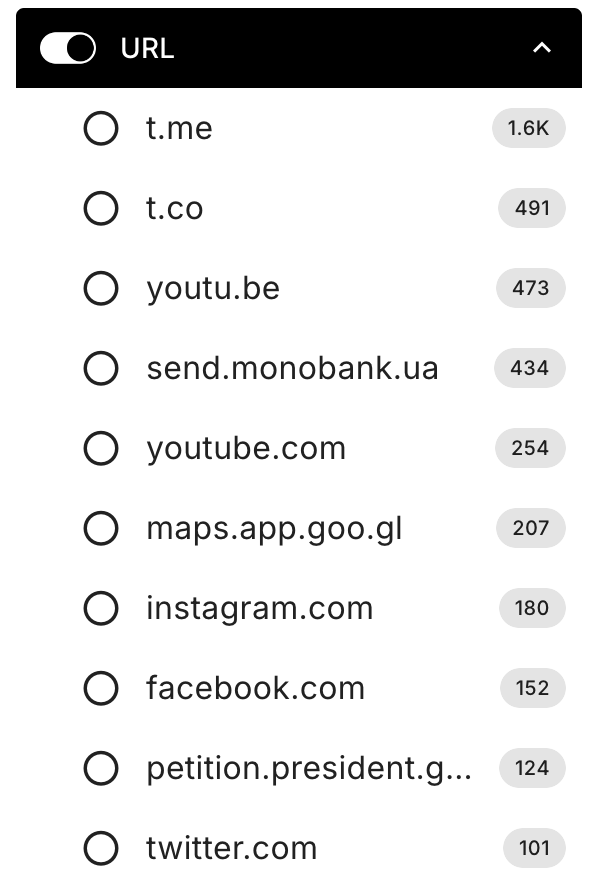
### **URL**&#x20;

Displays domain addresses found in the messages.

<figure><img src="/files/vXhhozPjgHf5GejjpHO1" alt="" width="300"><figcaption></figcaption></figure>

### Has image  <a href="#has-image" id="has-image"></a>

Filters archival materials by the presence of images.

<div data-full-width="true"><figure><img src="/files/skWRzx59OaIsHcIjaIgz" alt="" width="375"><figcaption></figcaption></figure> <figure><img src="/files/Cgpe9Jc2nMVYlTQTAku7" alt="" width="375"><figcaption></figcaption></figure></div>

### Has audio  <a href="#has-audio" id="has-audio"></a>

Filters archival materials by the presence of audio messages.

<figure><img src="/files/2VZGRuTZtj3GMH2L4x8B" alt="" width="375"><figcaption></figcaption></figure>

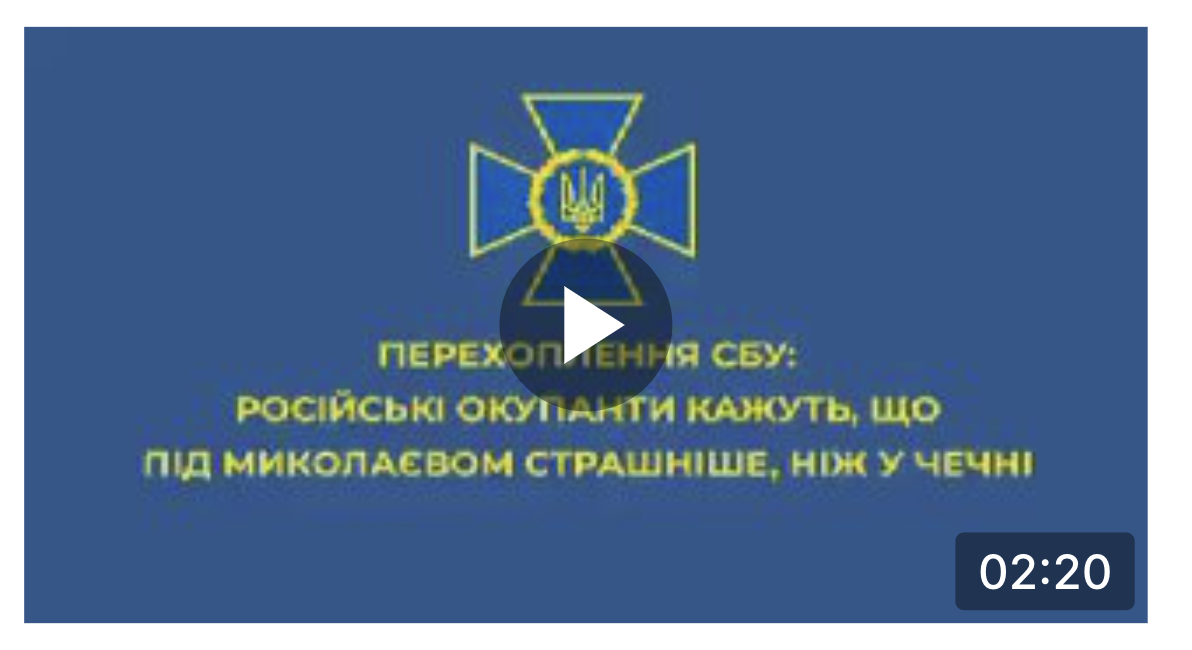
### Has video  <a href="#has-video" id="has-video"></a>

Filters archival materials by the presence of video.

<figure><img src="/files/lSmefwPyZcVEWiq9ZjTO" alt="" width="375"><figcaption></figcaption></figure>

### Email  <a href="#email" id="email"></a>

Filters information by email addresses.

<figure><img src="/files/GHa1932iDwsvt82DKw02" alt="" width="375"><figcaption></figcaption></figure>

### **Author**  <a href="#author" id="author"></a>

Filters messages by authorship. This allows you to find all messages from a specific author.

<figure><img src="/files/MZmad5iR8cLH2olg5Zgw" alt="" width="375"><figcaption></figcaption></figure>

### Language  <a href="#language" id="language"></a>

This filter helps find materials written in English, Ukrainian, Russian, or other languages.

<figure><img src="/files/r1UFJAk17qcynOFavlZR" alt="" width="298"><figcaption></figcaption></figure>

### Country  <a href="#country" id="country"></a>

Filters materials by mentions of specific countries. For example, selecting "Iran" will show all messages that mention Iran.

<figure><img src="/files/PWmb3nbhsnUMsUNJCta8" alt="" width="375"><figcaption></figcaption></figure>

### Chat/channel topics  <a href="#topics" id="topics"></a>

Allows filtering channels and chats by topics that may be popular in certain archival units. The list of topics for filtering was created by archivists.

<figure><img src="/files/NvYH96psOuseoDhRN2Dw" alt="" width="375"><figcaption></figcaption></figure>

### Chat/channel audiences  <a href="#audiences" id="audiences"></a>

Filters channels and chats based on the likely audiences that used these chats or channels. Audience tags for filtering were created by archivists.


<figure><img src="/files/wbeoE7gEvMf97MLJQ2SD" alt=""><figcaption></figcaption></figure>